
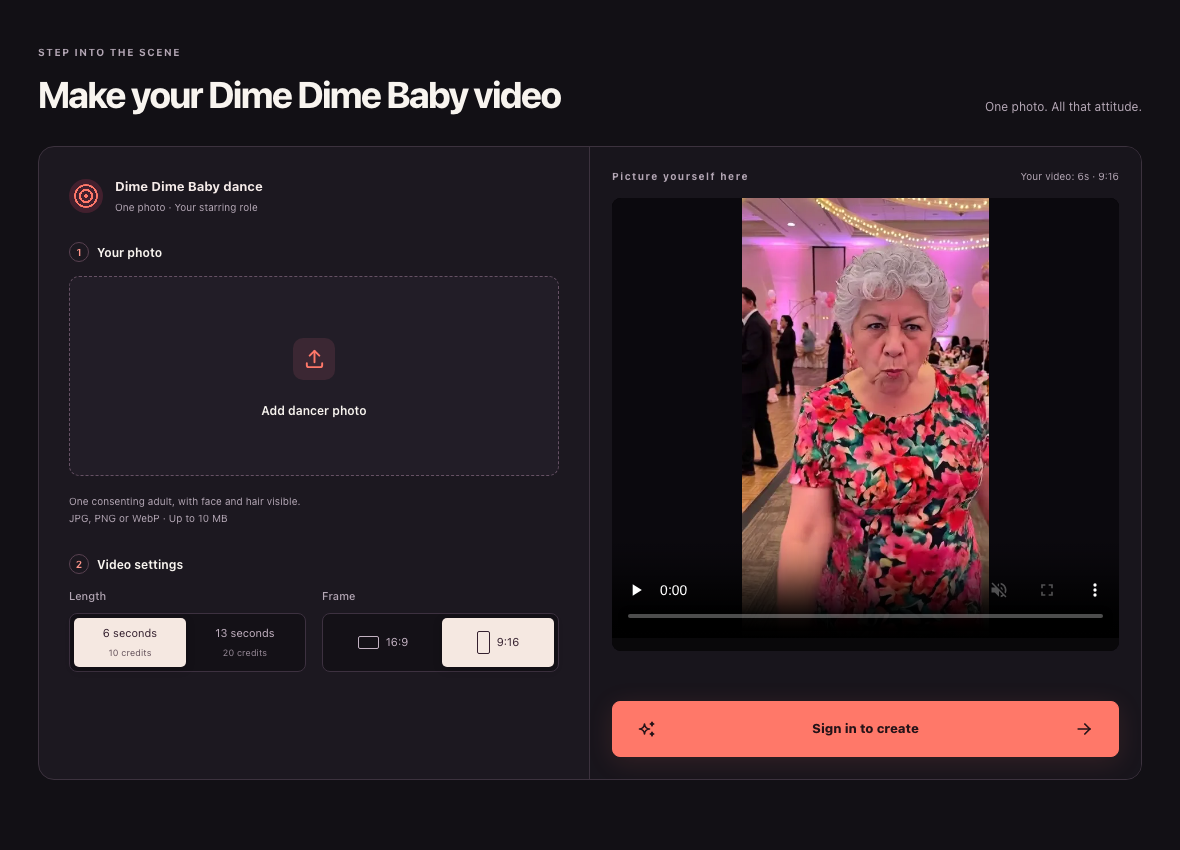
Website screenshot, 23 October 2026: Public signed-out ai-dimedimebaby.app desktop interface showing upload, duration, aspect ratio, and sign-in controls alongside the page's built-in interface example image.
Photo rules and credit requirements
Before starting a task on ai-dimedimebaby.app, make sure your image and account meet the platform rules:
- Eligibility and consent: Under our Terms of Service, you must be at least 18 years old and upload only a photo of yourself or another consenting adult who gave explicit permission for upload, provider processing, and AI video generation. Publicly available photos do not count as permission, individuals under 18 are not permitted, and this tool's workflow is built for one consenting adult rather than pets.
- File format and visibility: Upload one clear JPG, PNG, or WebP image up to 10 MB with the subject's face and hair clearly visible, as noted on the generator homepage. See our guide on what photo to upload for a Dime Dime Baby video for framing tips.
- Credits and checkout availability: Browsing the reference player and controls is free, while video generation requires paid credits with no free signup balance. On the pricing page, a 6-second clip costs 10 credits and a 13-second clip costs 20 credits, with one-time packs starting at $9.99 for 20 credits ($29.99 for 60 credits, or $89.99 for 200 credits; read the full Dime Dime Baby credit cost breakdown). Checkout remains closed whenever payment or generation is unavailable, so you are only charged when an available checkout completes.
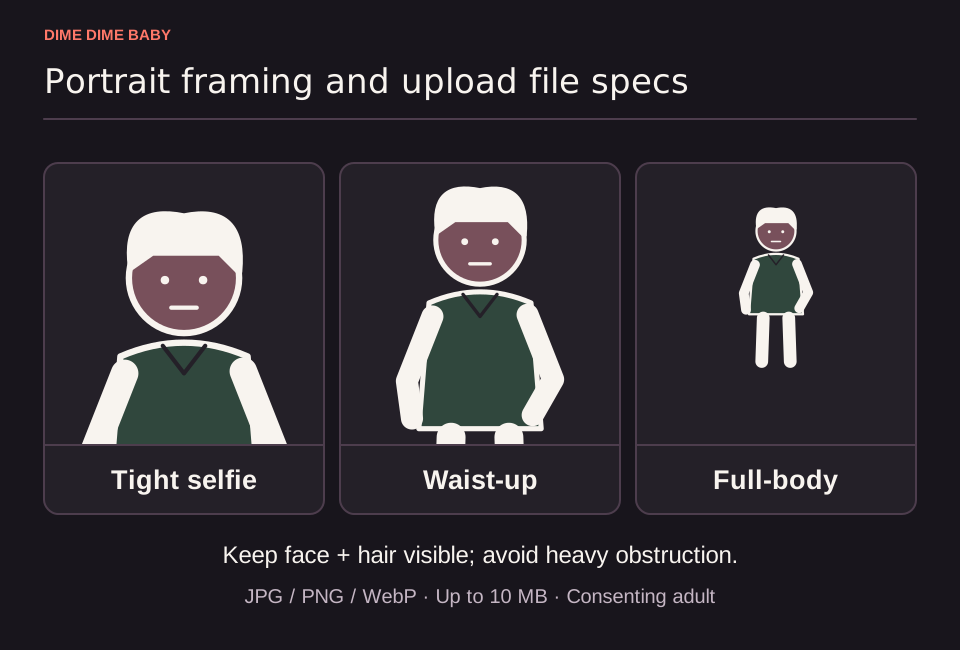
Illustration: Tight selfie, waist-up, and full-body crops, without claiming a tested winner, plus a footer noting face and hair visibility and 10 MB JPG/PNG/WebP limits.
Step-by-step generation workflow
- Sign in to your account: Open /#generator on ai-dimedimebaby.app and sign in to access your account; starting a generation still depends on current service availability and having enough paid credits.
- Upload one adult photo: Select your JPG, PNG, or WebP file (up to 10 MB). If the initial input check rejects the file, the task does not start and no generation credits are spent.
- Select duration and aspect ratio: The tool uses a fixed party-inspired scene and requires no text prompt. Choose either 6 seconds (10 credits) or 13 seconds (20 credits), then pick 9:16 for vertical feeds or 16:9 for widescreen viewing.
- Confirm availability and submit once: Check the displayed credit cost and current availability, then submit your task a single time. According to the Terms of Service, each account can hold only one unresolved task at a time. If a task is pending, processing, or marked as review required, check its status before starting another.
- Wait or reopen your saved task: Processing times vary. You can wait on the page or reopen your saved task from /history once processing finishes. Confirmed failed tasks or confirmed output moderation rejections return credits once, whereas a pending review status is not a failure.
- Preview and download your MP4: Play the completed video from start to finish and save the MP4 file using the steps in our guide to downloading your Dime Dime Baby MP4.
External motion reference credited to APT Video AI showing a cowboy-styled adult in a party-scene remake, not an output from ai-dimedimebaby.app or the original TikTok clip.
Checklist for reviewing your output
Selecting a duration and aspect ratio sets the container specs rather than guaranteeing a specific visual or audio outcome. Because AI generation can alter facial features, clothing, motion, background details, and framing, review these four areas before publishing:
- Facial likeness: Check whether the face and hair stay recognizable during the turn and stare, as a technically completed clip can still look imperfect.
- Outfit and background: Inspect how the model rendered your clothing and the surrounding party environment.
- Motion continuity: Watch the full 6-second or 13-second timeline to see how smoothly the subject moves through the frame.
- Audio and watermarks: A default soundtrack can be added after generation, though neither watermark-free output nor the commercial "BbY WOW" recording is guaranteed.
Sources & scope
External clips and music belong to their credited creators. Product guidance here describes this tool; it does not verify every other app using the meme’s name.
Suggest a correction