
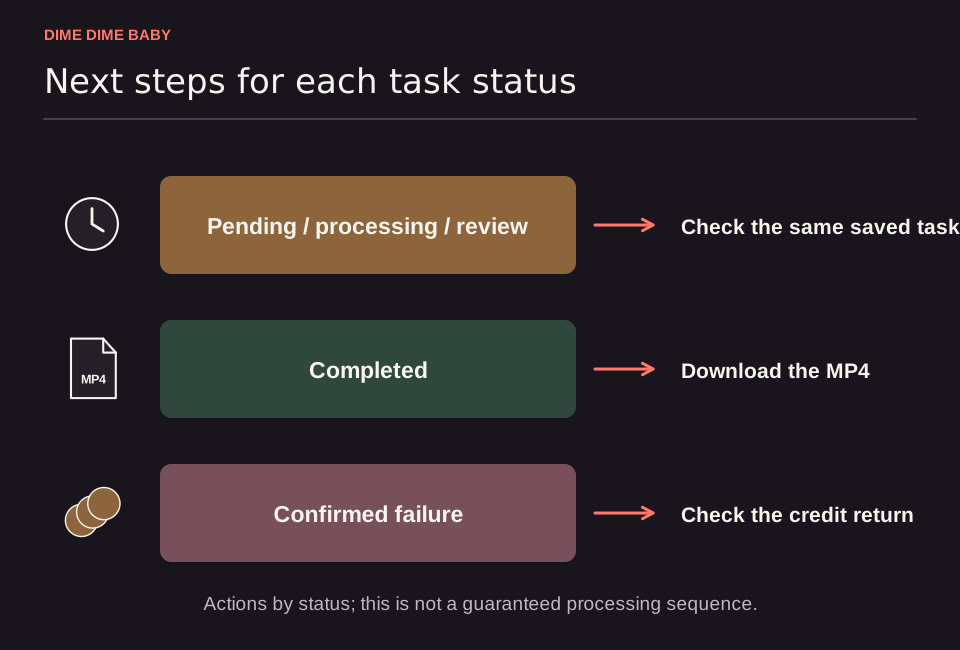
Illustration: Status guide grouping pending, processing, or review tasks under checking the saved task, completed tasks under MP4 download, and confirmed failures under credit return.
Why pending and review statuses are not confirmed failures
When you submit a 6-second or 13-second clip on ai-dimedimebaby.app, processing time varies and our Terms of Service do not promise a fixed completion time. A task showing pending, processing, or review required simply has no confirmed final outcome yet.
Because each account is limited to one unresolved task at a time under the Terms of Service, you must check your existing task and wait for its final status before starting another clip. If your submission was blocked before a task could be created, see our troubleshooting guide for when the generator is not working.
How to check your saved task without duplicating requests
Instead of submitting a second request, reopen your saved task in the same account to check its progress:
- Sign in to the same account you used to submit the photo and reopen your saved task or visit /history.
- Check the current status label; if it still reads
pending,processing, orreview required, wait for the task to reach a final outcome. - Once the task completes, preview the result and follow our steps to download your Dime Dime Baby MP4.
- If the status changes to a confirmed failed task or confirmed output moderation rejection, your in-app credits are returned once according to the refund policy.
When and how to contact support about an unresolved task
A task under review or still unresolved is not a confirmed failure and does not trigger an automatic credit return or payment refund under our refund policy. Read how failed generation credits and payment refunds work to see how in-app credit returns differ from billing refund requests.
If your task remains unresolved and you need help through /contact, include your account email, your task or payment reference, and the exact status message shown on screen. Never send passwords or payment card details.
Sources & scope
External clips and music belong to their credited creators. Product guidance here describes this tool; it does not verify every other app using the meme’s name.
Suggest a correction